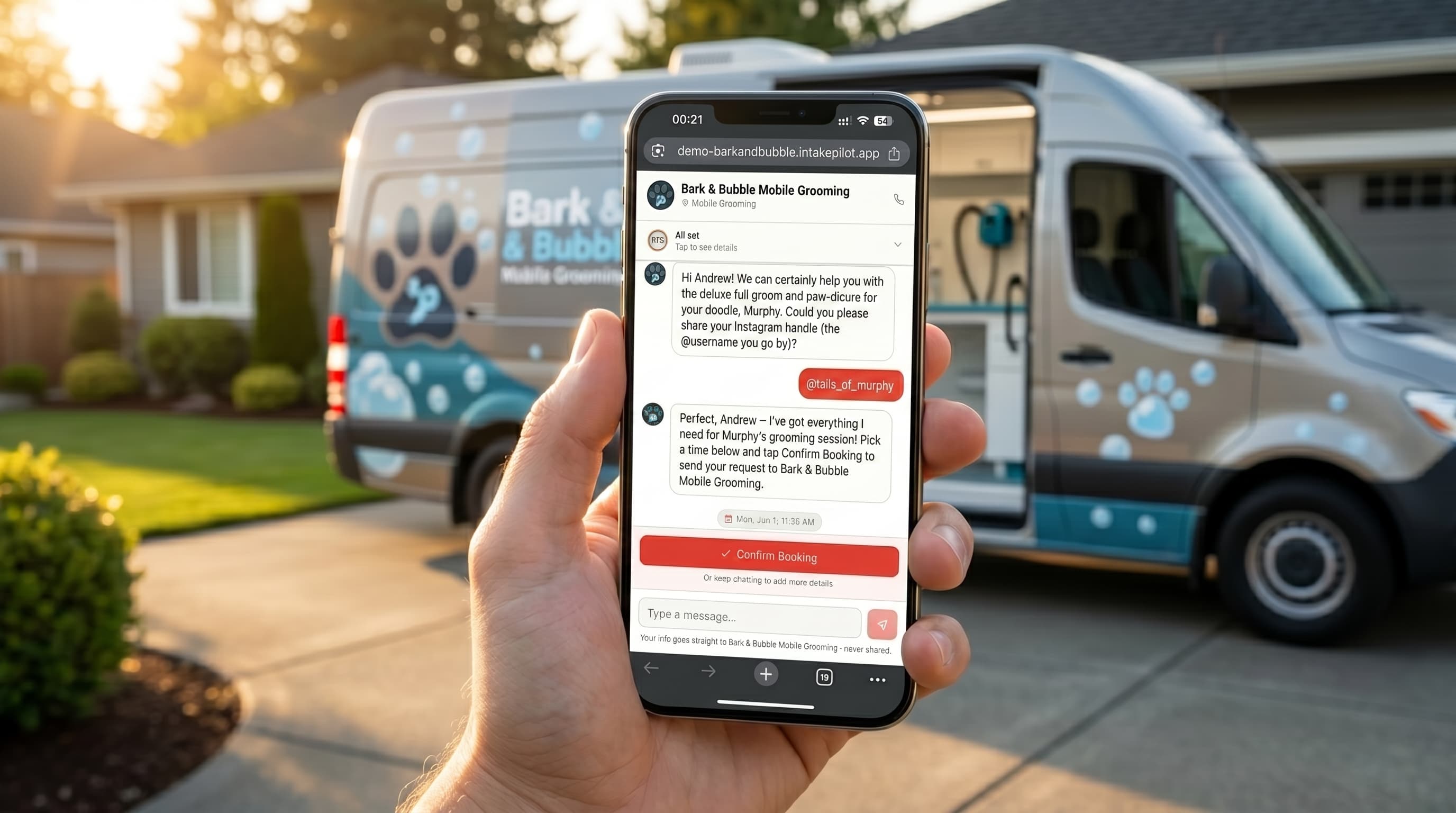
Mobile dog grooming has a booking problem that salon software wasn't built for: you don't have a shop, you have a route. Every appointment is a drive, every no-show is a wasted trip, and the questions you need answered — where am I parking, how big is the dog, is it friendly — never fit the generic "pick a 30-minute slot" form. Most booking tools quietly assume a fixed location and a client who comes to you. You're the opposite.
This guide covers what booking software for a mobile dog groomer actually needs to do, why a van-based business is different from a salon, and how to get a booking page live that asks the right questions before you turn the key.
Why mobile grooming breaks salon software
Salon booking tools are built around a fixed place: the client travels to you, picks an open slot, and shows up. A mobile groomer's constraints are the mirror image. Your day is a sequence of stops, and the real scheduling question isn't "is 2pm free?" — it's "does a 2pm on the other side of town fit between my other stops, and is the drive worth it?"
That's why hard, self-serve time slots are a trap for mobile work. If a client books a slot the tool thinks is open but that's a 40-minute detour from your route, you either eat the drive or cancel on them. Neither is good. What you want instead is to capture the request with enough detail to decide — then confirm the trips that make sense.
What your booking needs to capture
A haircut booking needs a name and a time. A mobile groom needs a lot more before you'll commit a slot and the fuel to get there:
- Service address — so you can see where it falls on your route, not just when.
- Access details — somewhere to park the van, and whether you can reach power and water if your rig needs hookups.
- Dog size, breed, and coat — a doodle that's matted is a very different time block from a short-haired terrier.
- Temperament and handling notes — anxious, bites, senior, never been groomed: all change how long you'll need and whether you take the job.
- Best contact number — so you can text an ETA on the day.
Triage before you drive
What to look for in mobile dog grooming software
Judge a tool on whether it respects how a van-based business actually runs:
- Request-and-confirm, not hard slots. You approve each trip once you can see where and what it is — the software shouldn't auto-commit your route.
- Grooming-aware, location-aware intake. It should ask for the address and the dog's details, not just "what service?"
- Instant alerts. A text the moment a request lands, so you can lock in a good trip before someone else's groomer does.
- No client app. Pet owners shouldn't need to download anything — just a quick conversation on your page.
- Your own brand. A booking page that's yours, not a marketplace that owns the client.
- Captures service address up front
- Yes
- Asks access (parking / power / water)
- Yes
- Dog size, coat & temperament intake
- Yes
- Request-and-confirm (you approve the trip)
- Yes
- Instant SMS on new requests
- Yes
- No client app required
- Yes
- Runs on your own brand
- Yes
- Captures service address up front
- No
- Asks access (parking / power / water)
- No
- Dog size, coat & temperament intake
- No
- Request-and-confirm (you approve the trip)
- Limited
- Instant SMS on new requests
- Limited
- No client app required
- Yes
- Runs on your own brand
- Limited
- Captures service address up front
- Limited
- Asks access (parking / power / water)
- No
- Dog size, coat & temperament intake
- No
- Request-and-confirm (you approve the trip)
- Yes
- Instant SMS on new requests
- Yes
- No client app required
- No
- Runs on your own brand
- No
Getting a mobile booking page live
You don't need a developer or a new phone line. With an AI intake tool it's a short checklist:
- Create your booking page. Add your business name, service area, and what you do. (IntakePilot can pre-fill most of it from your Google listing.)
- Set mobile-aware intake questions. Start with address, access, and the dog details above, in your own wording.
- Turn on text alerts. Get a text the instant a request lands so you can confirm from the van.
- Share the link. Put it on your Google profile, Instagram, Facebook, and a QR sticker on the van.
- Test it like a client. Book yourself a request from your phone and check the alert lands. Done.
A booking page built for the van, not the salon
IntakePilot answers on your site 24/7, asks for the address and the dog’s details, and texts you the moment a request comes in — so you confirm the trips worth driving. Try it free for 14 days, no card required.
Related reading
New to taking bookings online? Start with online booking for pet grooming. Weighing the best-known booking app? See our Booksy alternative for groomers, and to plan your route, see how long dog grooming takes.
Stop letting requests slip away
IntakePilot answers on your site 24/7 and texts you the moment a new request comes in. Setup takes about 10 minutes.
Frequently asked questions
Keep reading
Online Booking for Pet Grooming: Set It Up in a Day
What grooming intake must capture, the scheduling traps unique to grooming, and how to get a breed-aware booking page live in a single day.
A Booksy Alternative Built for Pet Groomers
Booksy is marketplace-first and built for salons. For a solo or mobile groomer, here’s a lighter, grooming-aware alternative on your own brand.